
One helpdesk for every product you support
A shared inbox, a help center for each product, AI drafts with your own provider and a built-in MCP server. On your own server, with every feature and unlimited agents, for $99 a year.
30 days free, card required, cancel any time. The card is not charged during the trial; the yearly plan starts automatically unless you cancel before it ends. Accounts privacy policy.
- $99 a year
- Every feature, one install
- Unlimited agents
- Never priced per agent
- Unlimited products
- Each with its own help center
- Your server
- Tickets stay in your database
Works with
- MCPClaudeChatGPTCursorGemini CLIVS Code with GitHub CopilotWindsurfGrok
- AIAnthropicOpenAIAzure OpenAIOpenRouterGoogle GeminiOllamaLM StudiovLLM
- MailGoogle WorkspaceMicrosoft 365IMAP and SMTPPostmarkMailgunSendGridAmazon SES
- ChatSlackMicrosoft TeamsDiscordGoogle Chat
- LicencesWooCommerceFluentCart
Why teams pick KindDesk
Seven things you get for $99 a year, whatever the size of your team.
Never priced per agent. Ever.
One price for the whole team. Your tenth agent or your fiftieth costs nothing more, and that promise is written into our Terms.
Ten agents for a year, entry plans billed yearly - KindDesk$99
- Zendesk$2,280
- Help Scout$3,000
- Intercom$3,480
List prices checked on 20 November 2026. KindDesk runs on your own server.
One licence for every product you support
Each product or brand gets its own help center, knowledge base, mailboxes, theme, custom domain and widget, in one install. Early-bird licences keep unlimited products while they renew.
- Help center
- Custom domain
- Mailboxes
- Theme
- Widget
- SLA targets
- Saved replies
- AI settings
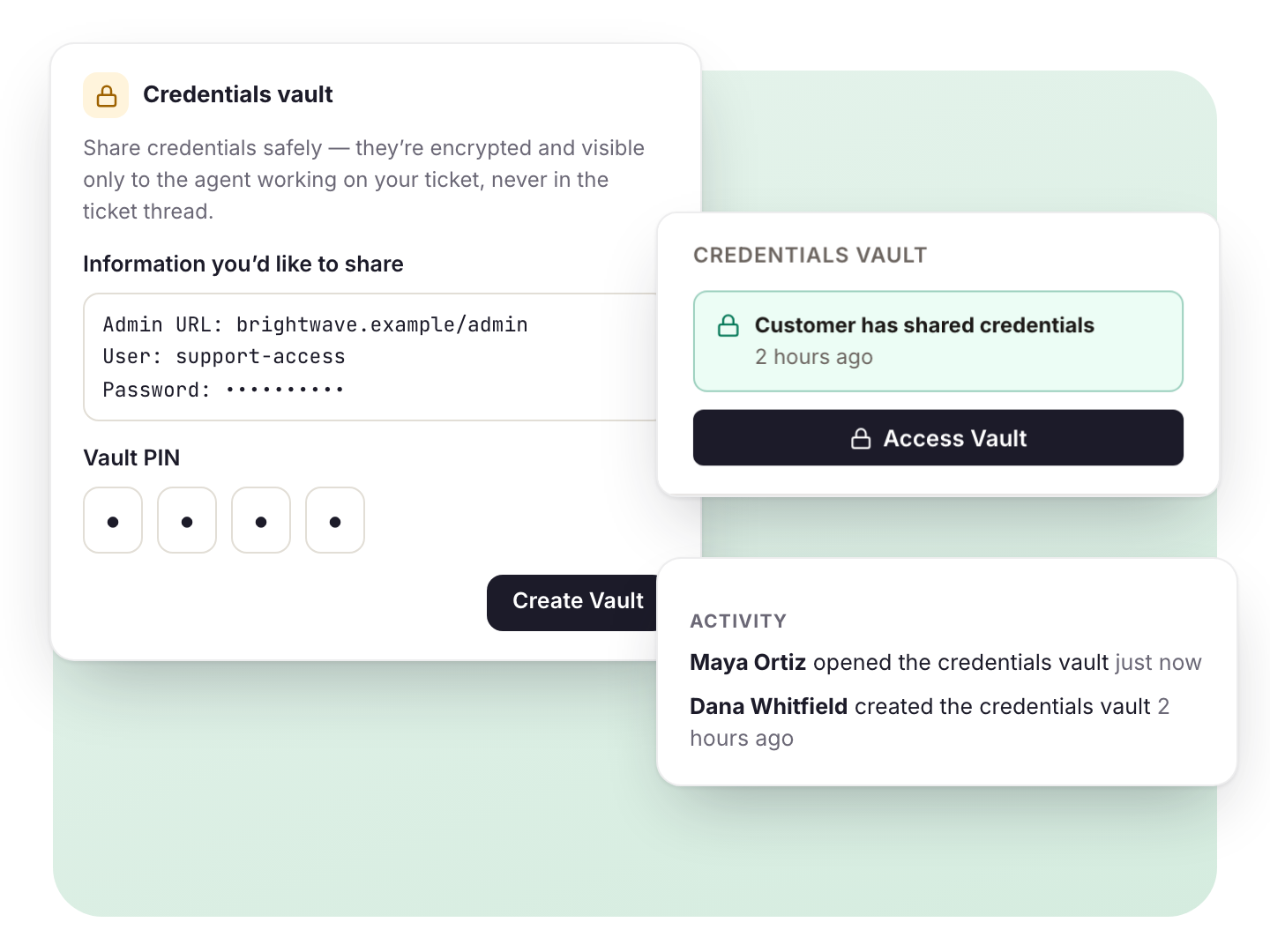
A Credentials Vault on every ticket
Customers share logins in an encrypted vault behind a PIN instead of email. Only the assigned agent can open it, and every opening is logged.
Your server, your data
Tickets, customers and attachments stay in your database. We never see them.
Built-in MCP server
Claude, ChatGPT, Cursor and other assistants work tickets and articles as you, with your permissions. Drafts wait for a person.
- Claude
- ChatGPT
- Cursor
- Gemini CLI
- VS Code with GitHub Copilot
- Windsurf
- Grok
Your AI provider, no markup
Bring your key for Anthropic, OpenAI, Gemini or a local model. Answers cite your knowledge base, your docs and even your code.
Secure by default
Two-factor sign-in you can require per role, access limited per product, an audit log of who did what, signed updates and tools for data-protection requests.
- Two-factor sign-in
- Per-role enforcement
- Per-product access
- Audit log
- Signed updates
- SAML SSO
- Export and anonymize
- Legal hold
- Retention
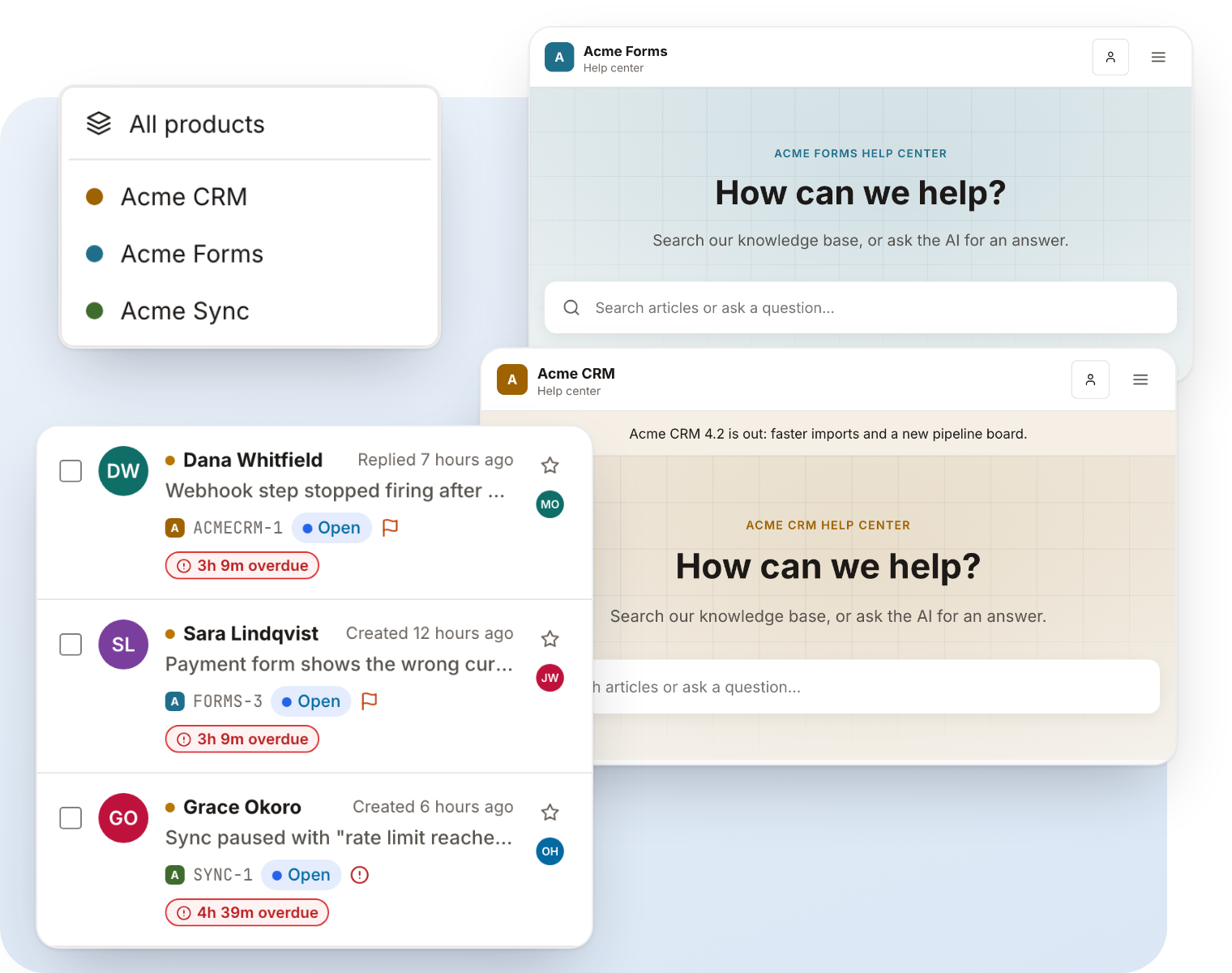
One team, every product
Stop running a separate support site for each product. Your team signs in once and answers for all of them from one desk, while each customer only ever sees their own product.
- One inbox, or one product at a time
- See every product’s tickets together, or switch to one product with the product switcher.
- One sign-in, shared know-how
- Global saved replies, automations and reports work across products. Agents can be limited to the products they support.
- A help center per product
- Its own domain, logo, colours, knowledge base, mailboxes, widget and SLA targets.
- Unlimited products on early-bird licences
- Licences bought during early-bird pricing keep unlimited products for as long as they renew. Prices may change for new customers; yours won’t.
Everything a support team works with, in one desk
Real KindDesk screens, not mock-ups. Pick one, or let them play.
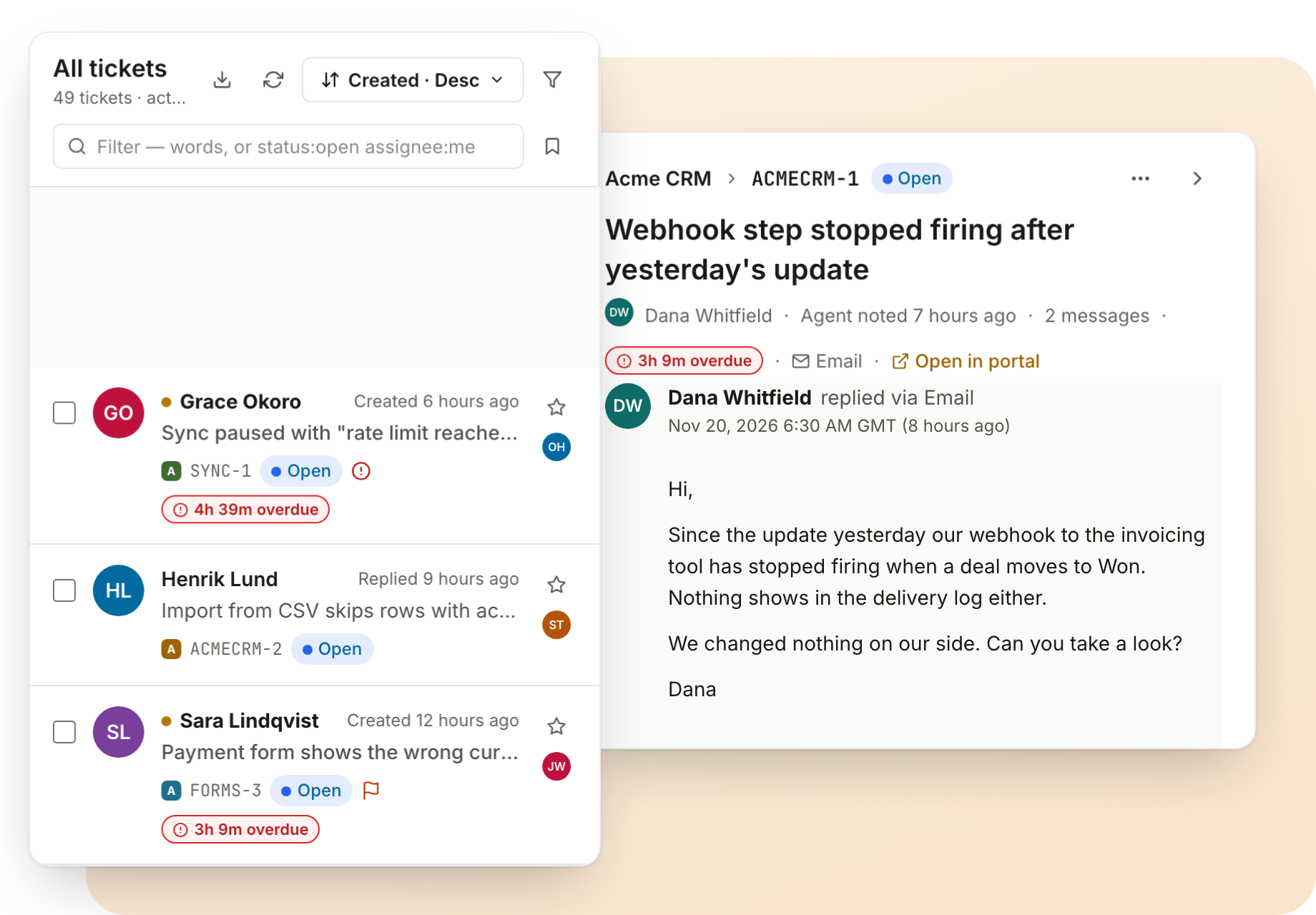
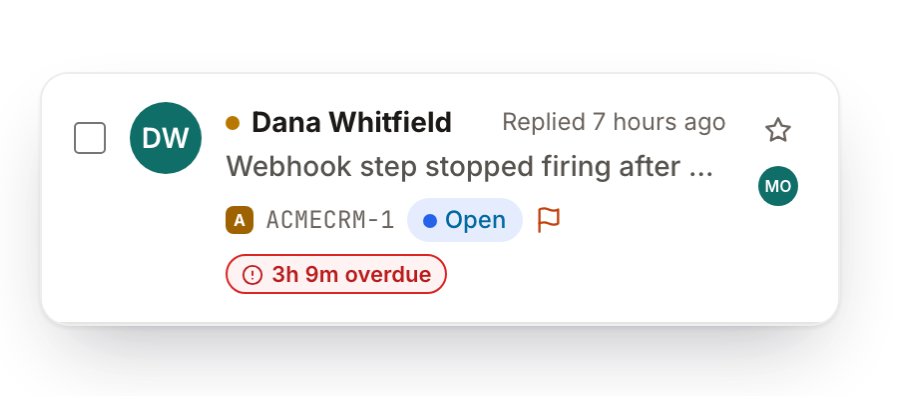
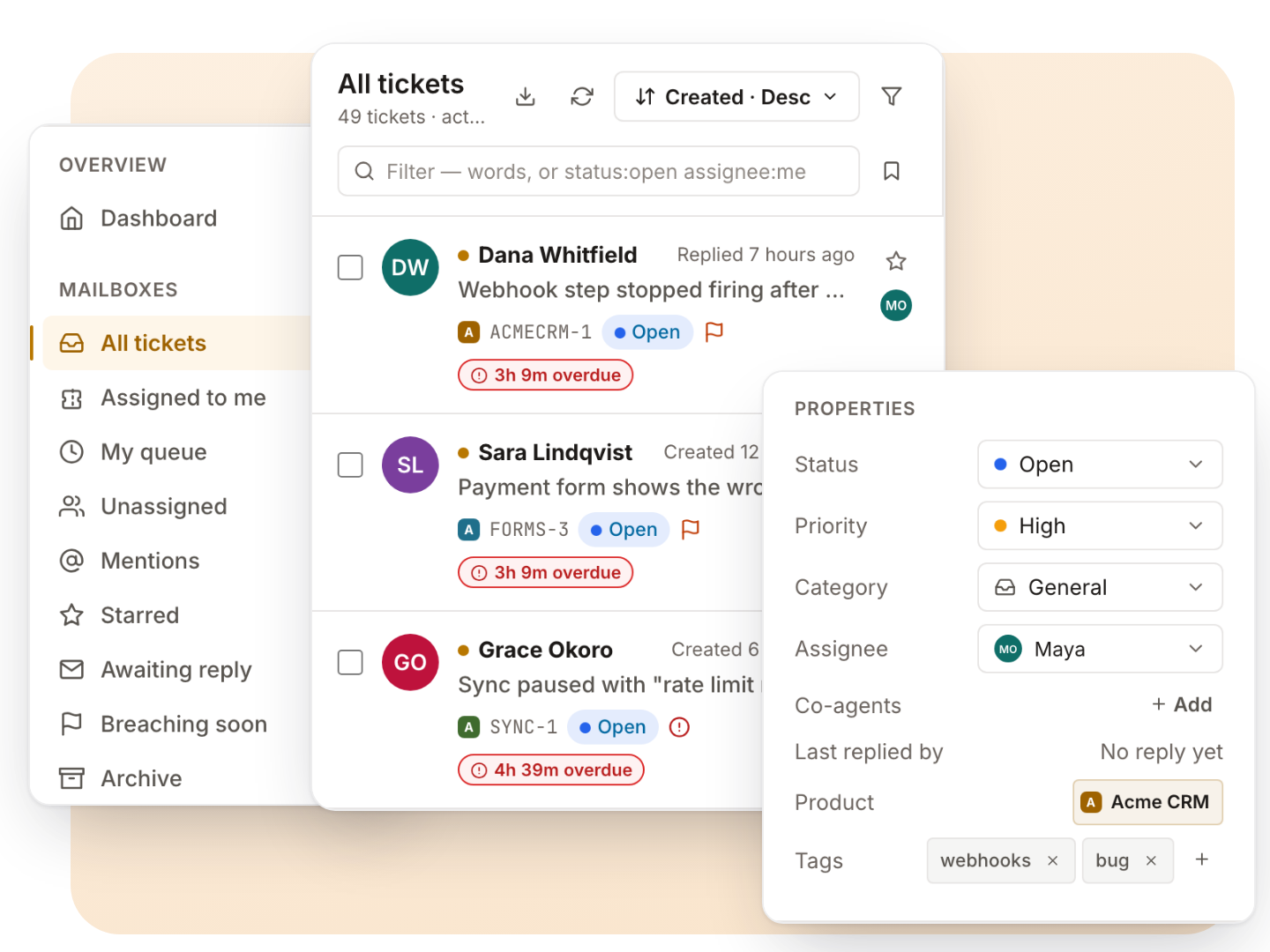
Thirteen built-in views with counts, saved views, bulk actions, and a side rail with the customer, SLA, time, licence and vault beside every conversation.
Customers store access details in an encrypted vault on their ticket, behind a 4-digit PIN. Only the assigned agent can open it, and every opening is recorded.
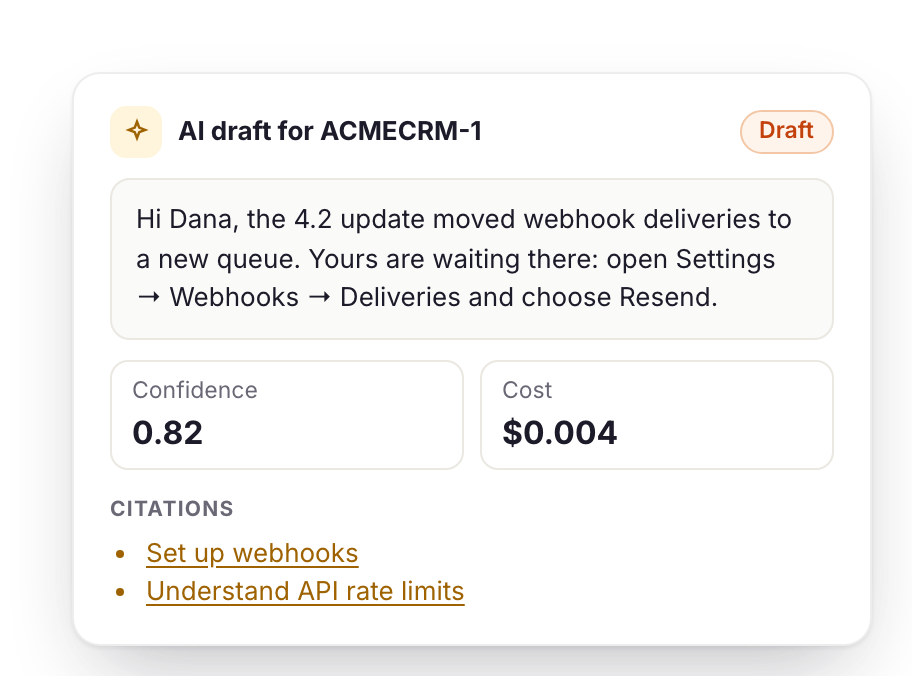
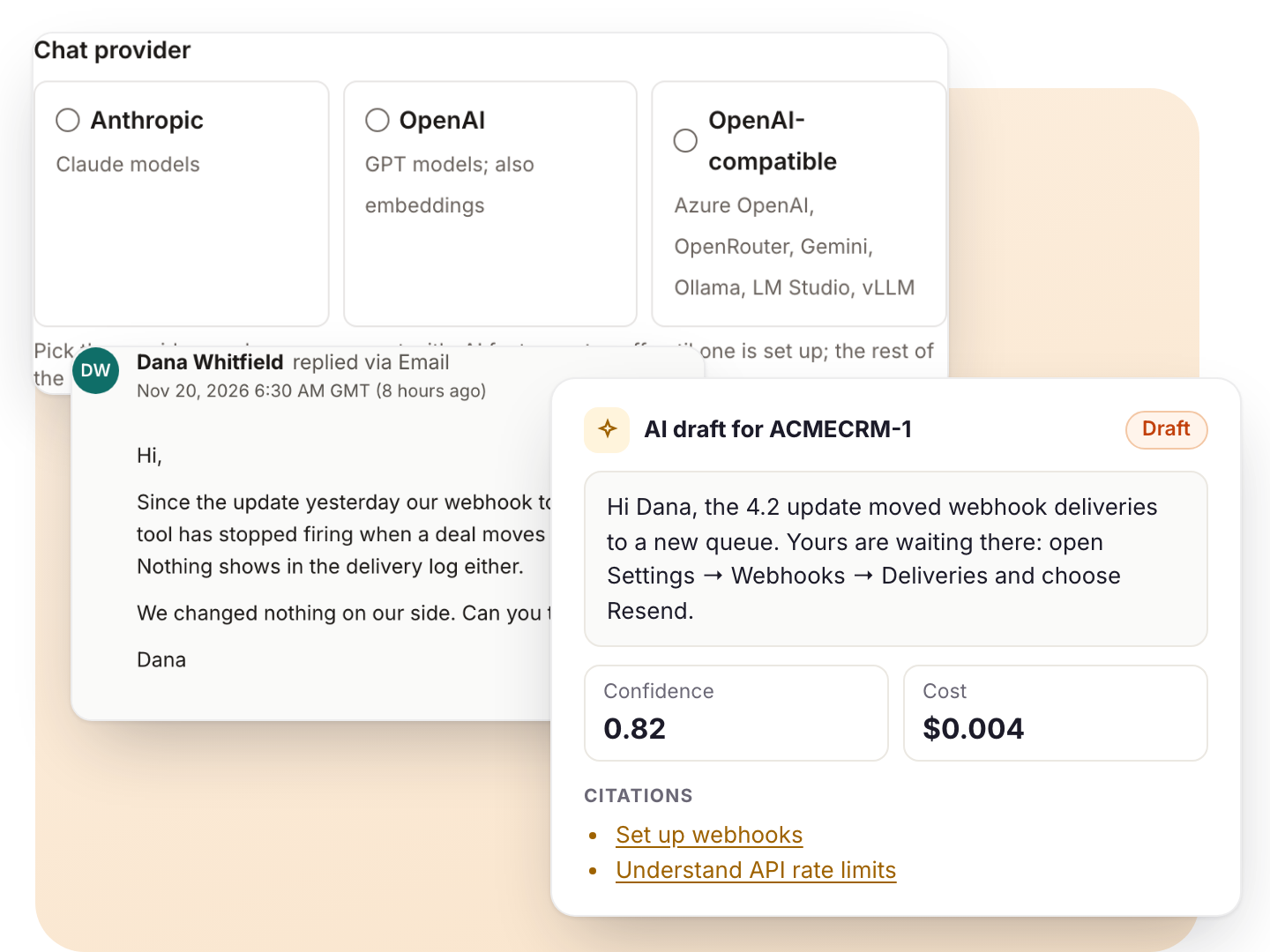
Drafts grounded in your knowledge base, docs and even your code, with the sources and the cost of each reply. Use Anthropic, OpenAI or any OpenAI-compatible model and pay the provider directly.
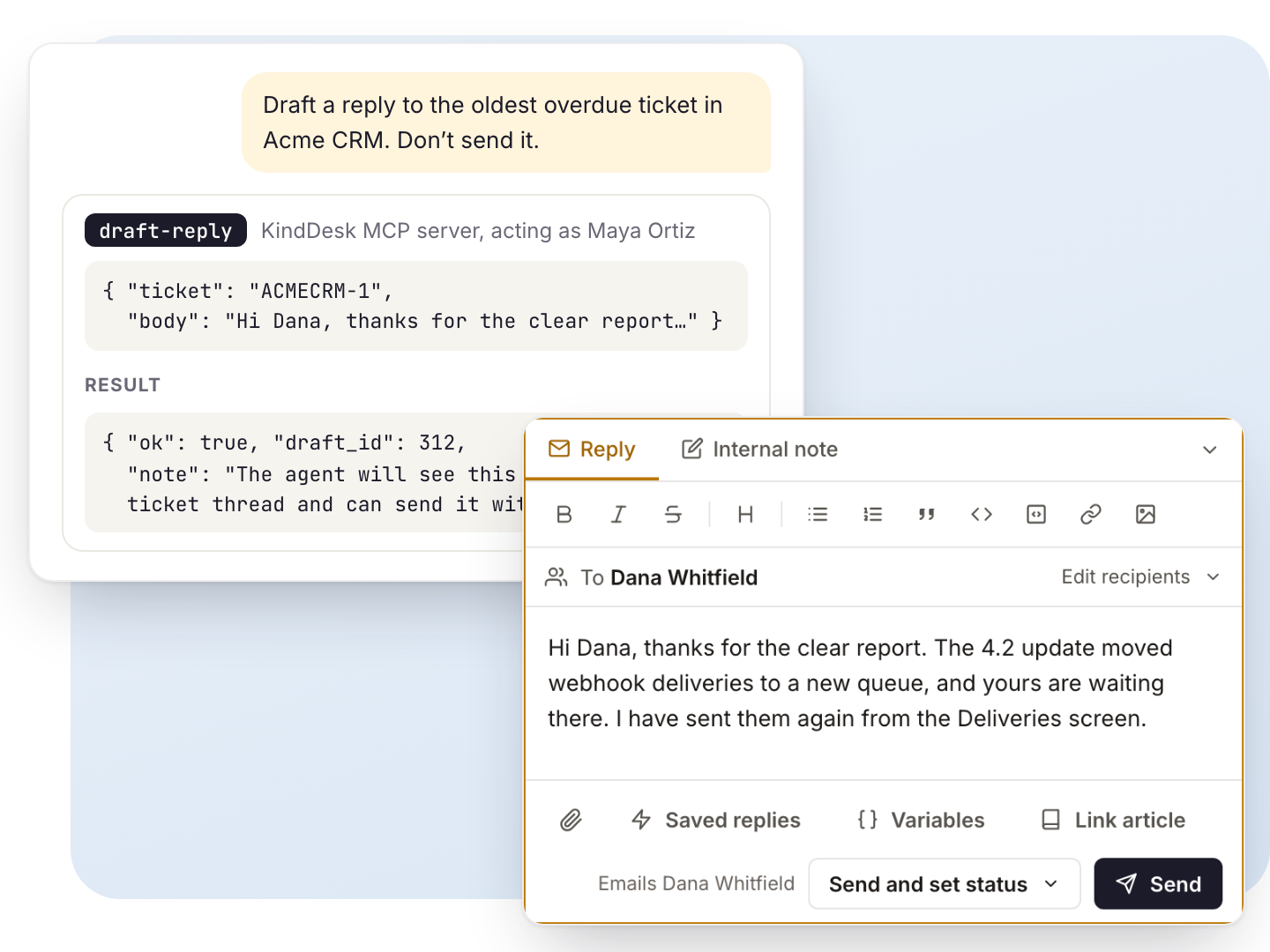
The built-in MCP server gives Claude, ChatGPT, Cursor and other assistants 19 tools to search, read, draft and update, as you and with your permissions. Drafts wait for a person to send.
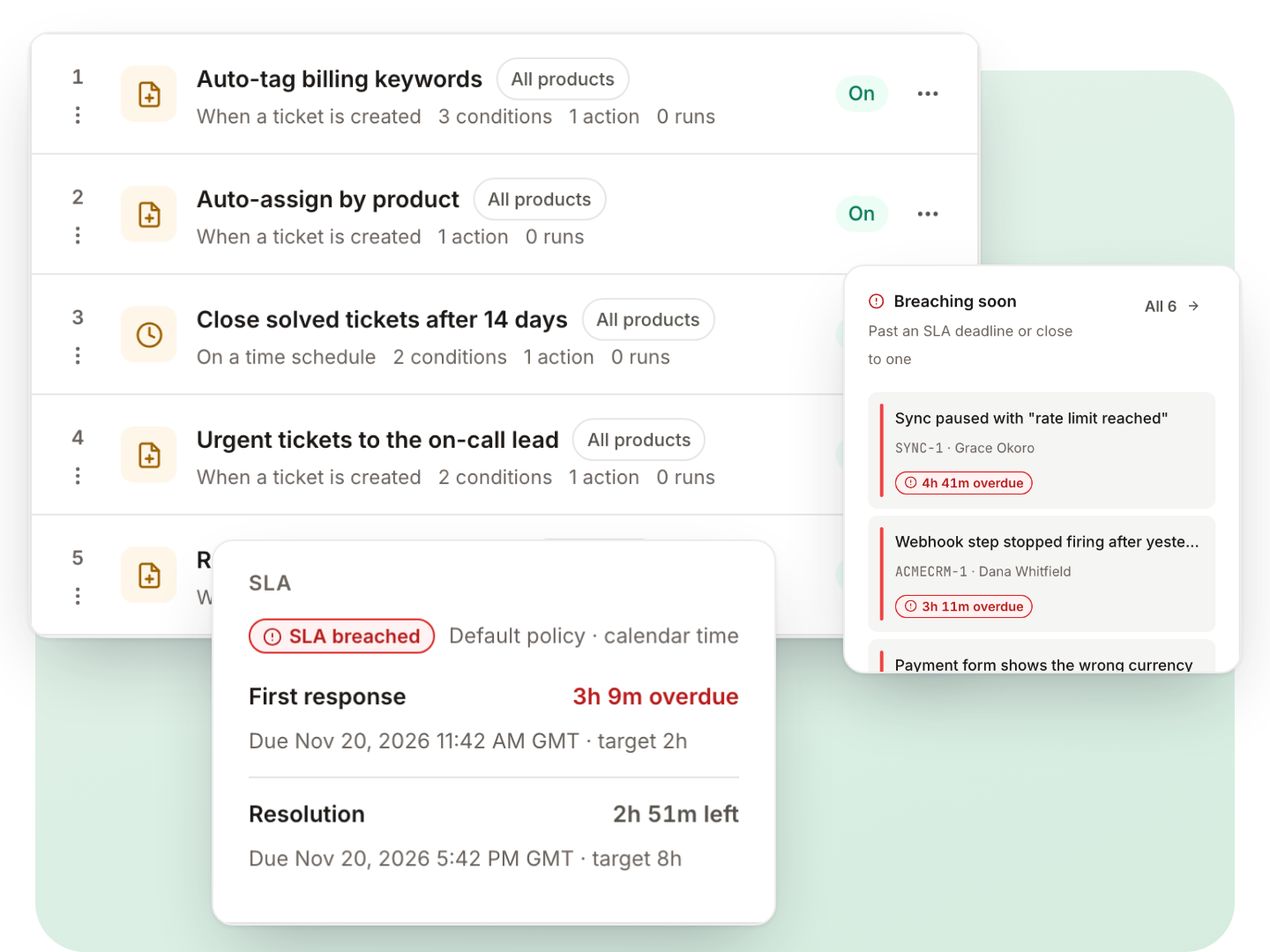
Automations react to new tickets, changes, mail, ratings, SLA deadlines and the clock. SLA targets per product and priority, counted in your business hours.
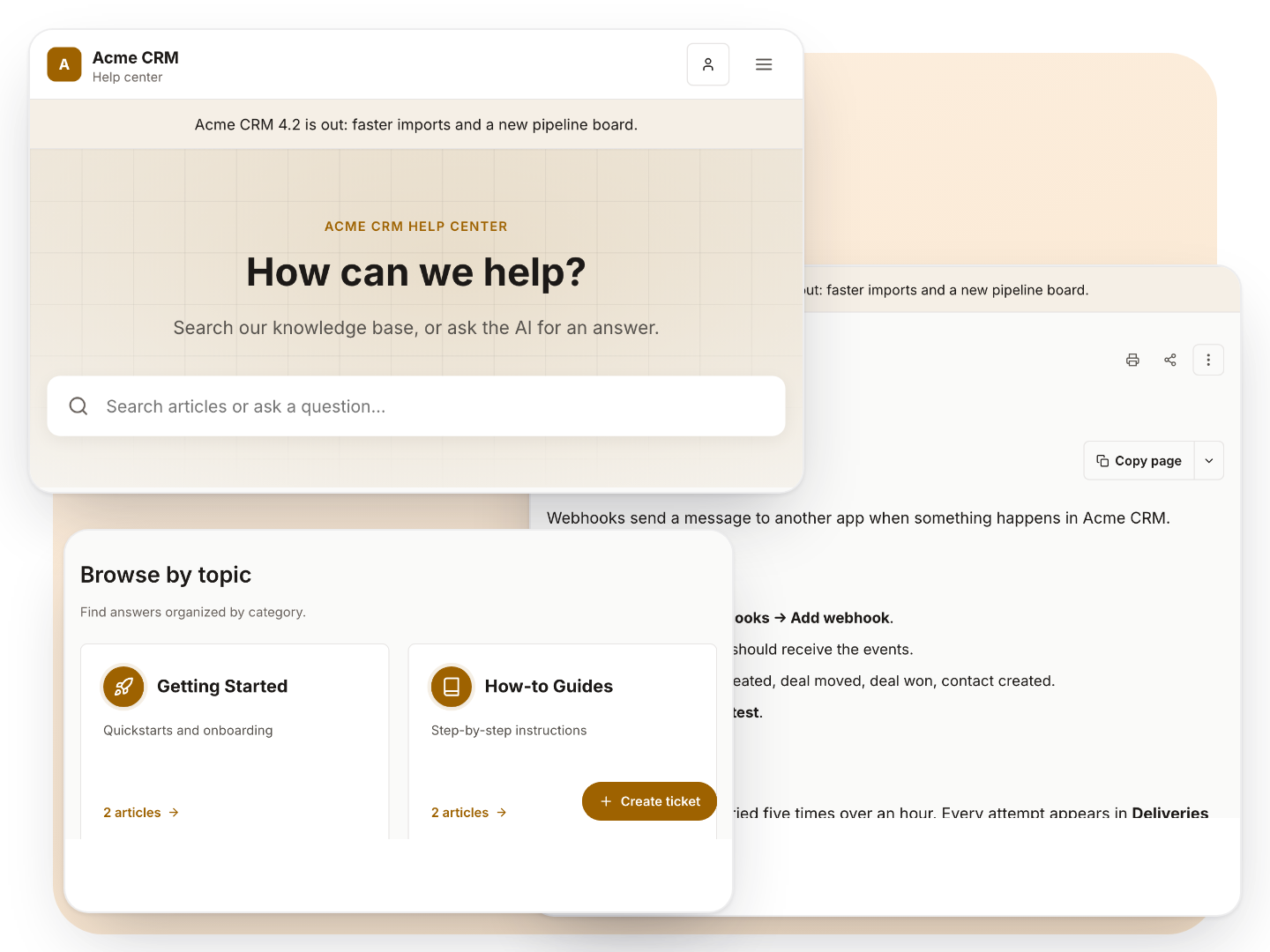
Typo-tolerant search, AI answers with sources and a ticket form, in each product’s own colours and domain, plus a help widget for your own site.
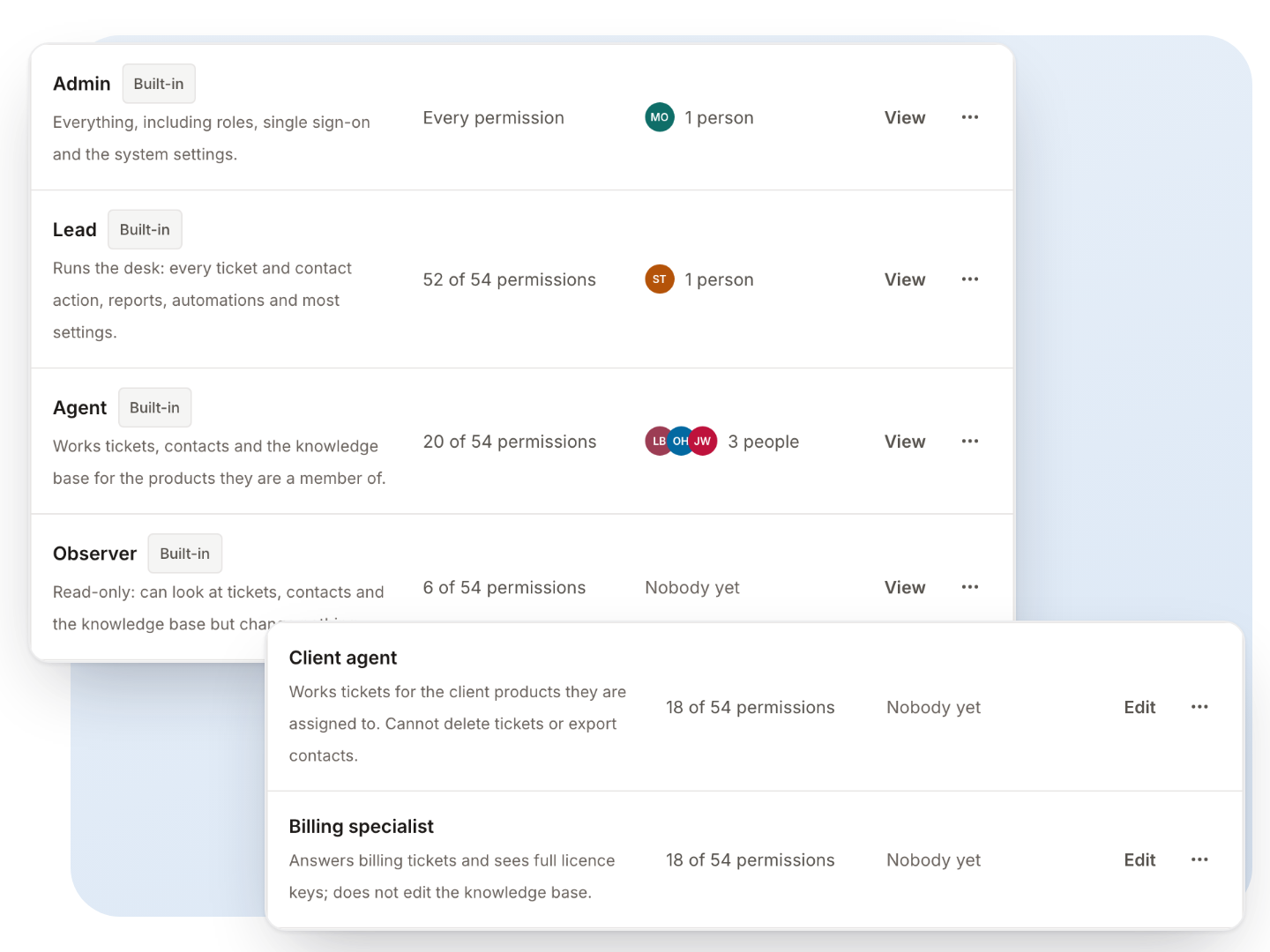
Admin, lead, agent and observer built in, your own roles from 54 permissions, and anyone limited to the products they support.
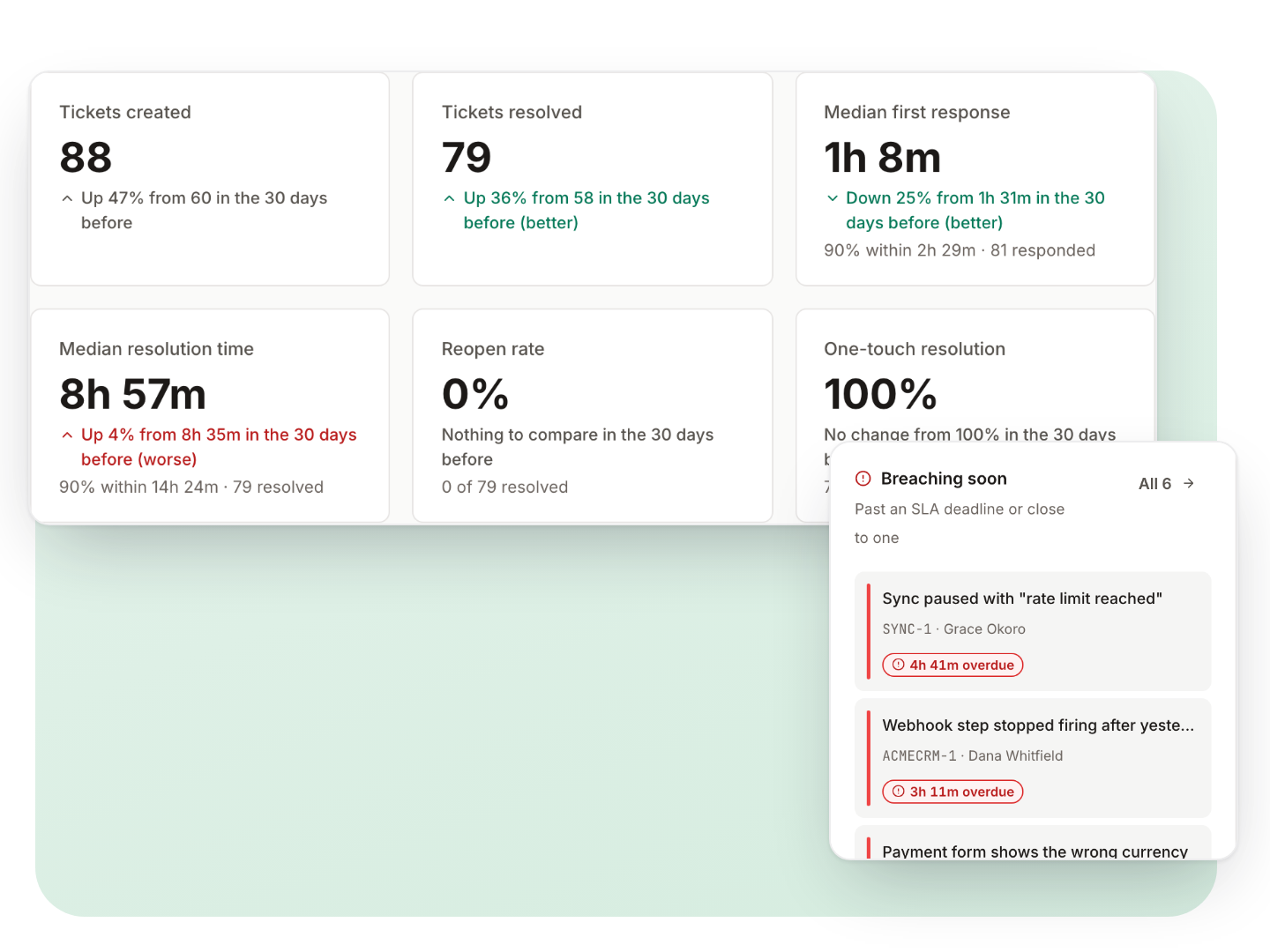
Created against resolved, response and resolution times, backlog, SLA and satisfaction, each compared with the period before, with the tickets behind every figure.
Never priced per agent. Ever.
Hire your tenth agent or your fiftieth: the licence stays $99 a year. It is written into our Terms.
Calculate your savings with each vendor’s published prices.
With KindDesk instead of Zendesk, you keep
$1,041a year
- Zendesk Support Team
- $1,140 a year
- KindDesk every feature
- $99 a year
$3,123 over three years, for 5 agents.
| Helpdesk | Plan | Per year |
|---|---|---|
| KindDeskYou pay | Every feature | $99 |
| Zoho Desk | Express | $420 |
| ZendeskCompared | Support Team | $1,140 |
| Freshdesk | Growth | $1,140 |
| BoldDesk | Scale AIunlimited agents | $1,188 |
| Help Scout | Standard | $1,500 |
| Intercom | Essential | $1,740 |
KindDesk: $99 a year for every feature, unlimited agents, plus your own server. Others: each vendor’s cheapest paid plan that fits your team, billed yearly, list prices before tax. Prices checked on 20 November 2026.
Open the full calculator: 14 helpdesks, AI fees, billing and each vendor’s assumptions
Your server. Your rules.
Tickets, customers and attachments live in your database. KindDesk talks to two of our servers, for your licence and for updates, and to nothing else unless you switch it on.
- 19MCP tools for your AI assistant
- 54permissions to build custom roles from
- 22signed webhook events
- 13built-in inbox views
Signed releases
Every update is signed; your server checks the signature, snapshots the database first and can roll back.
Two-factor sign-in, per role
Authenticator app or emailed code, recovery codes, password rules, breached-password checks and idle sign-out.
Access limited per product
Someone limited to some products sees nothing from the others: not tickets, contacts, reports, the API or the MCP server.
An audit log of who did what
Sign-ins, settings, access changes, exports, updates and vault openings, with CSV export and retention.
Privacy requests in a few clicks
Export one person’s data, anonymize them, place a legal hold or delete old tickets on a schedule.
SAML single sign-on for agents
Plus private attachments, encrypted secrets, signed webhooks and protection against requests to your internal network.
From sign-up to your first ticket in three steps
No Node, Composer or git on the server. The release carries everything, and the installer checks its signature before it installs anything.
Create a free account
Add a card to start your 30-day trial. It is not charged during the trial, and you can cancel before it ends.
Run the installer
One command on your server. No shell on your host? The browser installer does the same work.
Answer the setup questions
Database, site address, company, first product, first administrator and timezone. Connect your trial licence and sign in.
curl -fsSL https://get.kinddesk.io | bashOn our roadmap
What we are building next, and what KindDesk does today in its place.
- Upcoming
Live chat in the widget
Real-time conversations from the help widget.
Today the widget searches, answers with AI and takes messages.
- Upcoming
One-click macros
Reply and set status, tags and assignee in one step.
Today saved replies insert the text, with variables.
- Upcoming
Import from your current helpdesk
A built-in importer for Zendesk, Freshdesk and Help Scout.
Today the REST API can create customers, tickets, replies and articles, so a script can bring your data across.
- Upcoming
Field-by-field ticket history
Every change to a ticket, in its own timeline.
Today the audit log records actions across the desk.
- Upcoming
Native mobile apps
Agent apps for iOS and Android.
Today the agent app works on phones and installs as a web app with push notifications.
- Upcoming
Phone, SMS and social channels
More ways for customers to reach you.
Today tickets come from email, the help center, the widget and the API.
Is it really one price?
Yes. $99 a year buys one installation with every feature. There are no tiers and no add-ons, and KindDesk will never be priced by the number of agents: that is in our Terms.
What does “one installation” mean?
One running copy of KindDesk with one database at one address, such as desk.example.com. Inside it you can have as many agents and customers as you like, and on early-bird licences as many products. You may also keep one non-production copy for staging or development on localhost or a non-public address, as long as it is never used for live support. A second live copy needs its own licence.
How does the free trial work?
It lasts 30 days. Create an account at accounts.infiwebs.com and add a payment card; the card is not charged during the trial. Install KindDesk, and when setup asks for a licence, connect your trial. We email you 3 days before it ends. If you do nothing, the yearly plan starts and the card is charged $99; cancel any time before then from your account and nothing is charged.
Will the price change?
Prices and plans may change for new customers. Yours won’t: your licence keeps its price and plan while you renew. That holds for as long as the subscription renews without a break. It is in our Terms (section 5.3), and KindDesk will never be priced by the number of agents (section 5.2).
Can I get a refund?
No. The 30-day trial is the evaluation period: it has every feature, and you can cancel before it ends without paying anything. Statutory rights that cannot be excluded are not affected.
What happens when my licence expires?
For 7 days nothing changes except a reminder. After that, agents see the licence page until you renew. Your customers notice nothing: the help center, portal, email, API and automations keep running. Updates stop until you renew.
Does KindDesk send our data anywhere?
Tickets, customers and articles stay in your database. KindDesk contacts our licence server (your install’s address and licence token) and our release server (to check for updates). Nothing else, unless you switch it on: your AI provider, your mail server, your webhooks.
Do you host it for us?
No. KindDesk is self-hosted only. You run it on a server you control.

Run your next ticket on KindDesk
Create a free account to start your 30-day trial, then install KindDesk with one command or the browser installer.
30 days free, card required, cancel any time. The card is not charged during the trial; the yearly plan starts automatically unless you cancel before it ends. Accounts privacy policy.